The Human Perspective: Analyzing Positions with Maia 2
Published on October 22, 2026

When you finish a chess puzzle, the first impulse is often to check the engine. You turn on the analysis, look at the numerical evaluation, and see a line of optimal moves. Stockfish gives you the objective truth of the position, showing exactly what both sides should play if they never make a mistake.
That objective truth is useful, but it leaves an important question unanswered: what do humans actually play in this position? Stockfish can show that a move is refuted four moves down the line, but it does not tell you which moves human players at your rating level are most likely to consider or play.
To provide that missing context, I recently introduced Maia 2 into the post-puzzle analysis view in ChessKinetics.
What Makes Maia Different
Most traditional chess engines are trained with one objective: to find the strongest possible move and win the game. Over the past decade, advancements in search algorithms have pushed engine strength far beyond human capability. When Stockfish evaluates a puzzle, it sees the board through the lens of absolute tactical perfection.
Maia was developed by researchers at the University of Toronto's Computational Social Science Lab (CSSLab), in collaboration with Cornell University and Microsoft Research, with a fundamentally different goal. Rather than calculating to find the best move, Maia is trained to predict the move that human players actually make. By training neural networks on millions of real games played across distinct rating brackets, the researchers built a system that captures human chess intuition, including our natural heuristics, candidate preferences, and blind spots.
Instead of outputting an evaluation like +1.80, Maia produces a probability distribution over legal moves. It tells you which candidate moves are on a human player's radar and how often each move is chosen.
How Maia Works in ChessKinetics
Integrating Maia into the app followed the same design principle as the rest of the interface: keep the screen calm and distraction-free. The post-puzzle controls now feature a three-segment selector:
-
•
Analysis off: The board stays silent, allowing you to review the moves by yourself without external input.
-
•
Engine analysis: Stockfish 18 calculates the objective evaluation and best continuation.
-
•
Human perspective: Maia 2 predicts human candidate moves with percentage probabilities.
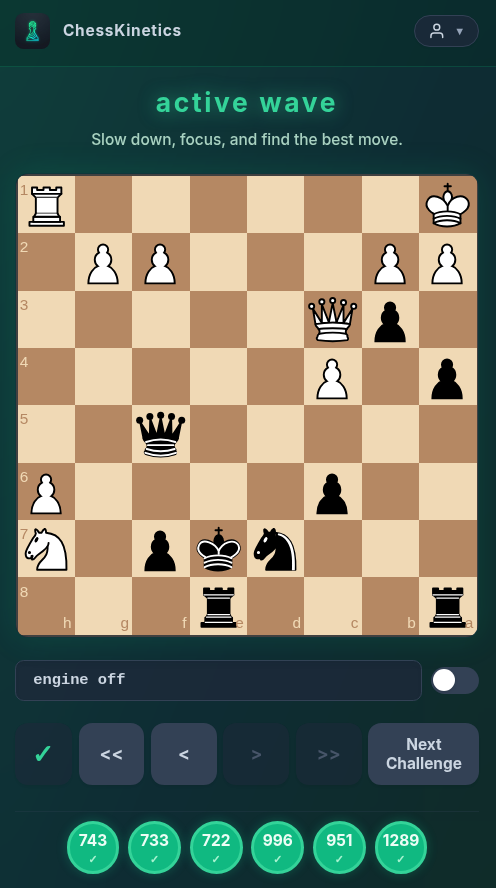
When you select the human perspective, the evaluation bar displays the top predicted moves in algebraic notation alongside their percentages, separated by clean dividers (such as Nf3 42% · d4 28% · Nc3 15%). Only moves with meaningful probability are displayed, keeping the readout concise and legible on both mobile screens and desktops.
Calibrated to Your Active Training Level
A prediction of what a grandmaster plays is rarely helpful if you want to know what moves a 1500-rated player is likely to consider. Human tendencies change dramatically as rating increases. A lower-rated player might be drawn to immediate checks and pawn captures, while an expert might focus on piece coordination or prophylaxis.
Because of this, ChessKinetics does not run Maia at a fixed difficulty. The app automatically calibrates the model rating to match your current wave target. In practice, online puzzle ratings tend to sit higher than standard rapid playing ratings. To align the model with real-world playing strength, the system applies a 350-point offset to the active wave target, clamping the result within Maia's supported range of 1000 to 2000 Elo.
If your wave target is 1850, the human perspective automatically evaluates candidate moves through the lens of a 1500-rated human player. When you tap the human icon, a popover confirms the exact rating tier currently in use.
Why This Helps Post-Puzzle Review
Reviewing a puzzle after attempting it is where much of the learning happens. Stockfish provides the objective refutation, showing the mathematically optimal continuation, but it does not tell you which moves feel natural to human players.
Seeing Maia's candidate move predictions provides that practical context. If you struggled or picked an incorrect move during the puzzle, Maia reveals whether your candidate move was a common human choice at your rating tier, helping bridge the gap between engine perfection and practical play.
Running In-Browser with ONNX Runtime Web
From an engineering perspective, running deep neural networks usually presents an infrastructure dilemma: you either run a heavy server backend that processes every request, or you compromise on user experience. Server-side inference adds recurring hosting costs, creates network latency, and requires sending your game data across the wire.
I wanted ChessKinetics to stay lightweight, private, and fast. The Maia 2 integration runs entirely client-side inside your web browser. There is no backend server involved in calculating move probabilities.
The implementation uses ONNX Runtime Web with WebAssembly. Inference is executed inside a dedicated Web Worker off the main thread, ensuring that the board animations and user interface stay completely responsive. When you first enable the human perspective, the compressed ONNX model is fetched and cached locally in the browser's IndexedDB storage. On subsequent visits, the model loads straight from your device, providing near-instant analysis with zero network requests.
Objective Truth and Human Nature
Chess is both a logical game of concrete calculation and a psychological struggle between two human minds. Stockfish provides the logical evaluation; Maia provides the human context.
Having both tools accessible in a simple, one-click interface gives you a complete picture of every puzzle position without cluttering your screen. If you have any feedback or thoughts on the new feature, feel free to drop me a note at info@chesskinetics.com.